

Connect Square to
Anything with CloudQix
Automate Square workflows and sync data across
your entire tech Square— no code required.

Jumpstart with Ready-to-Use Square Automations
How Square Integrations Work with CloudQix
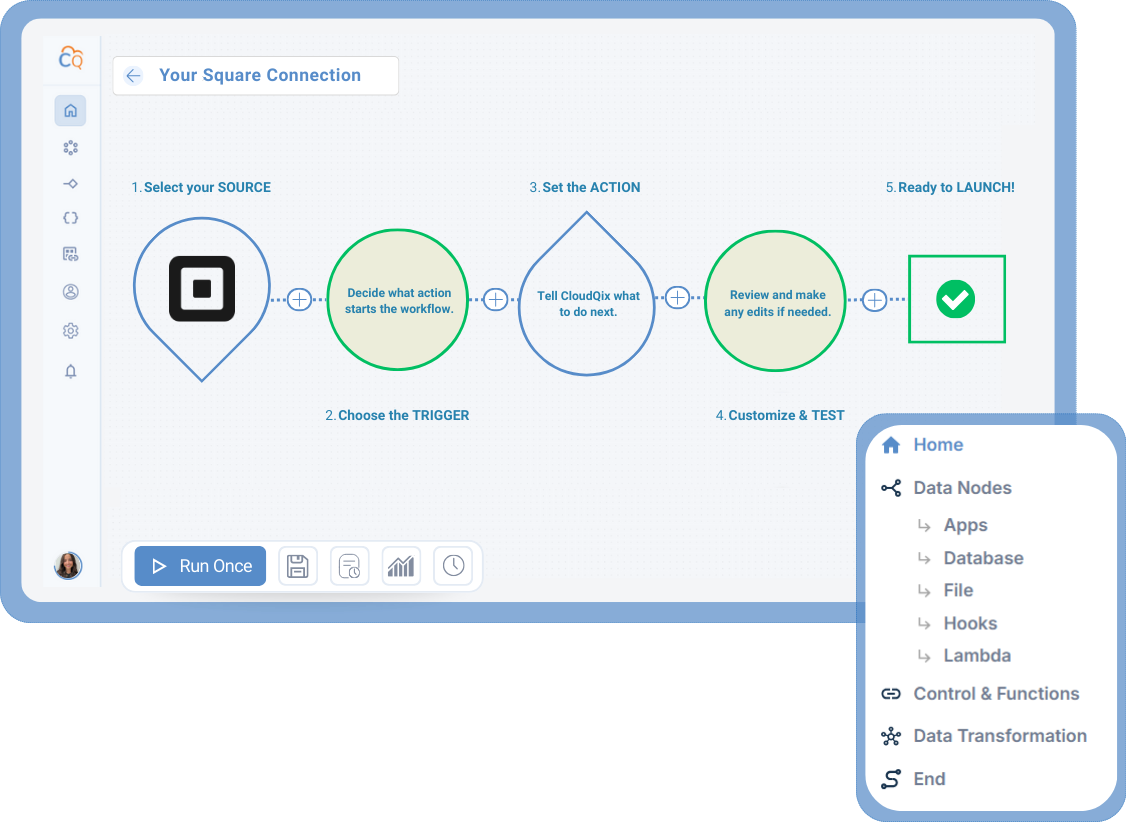
1. Connect Square
Securely link your Square
account to the CloudQix
platform.
2. Select a Trigger
Choose the event in
Square that will
start your workflow.
3. Choose an Action
Decide what should happen
in another app when the
trigger occurs.
4. Customize & Test
Adjust any settings, test the
workflow, and make sure that
data flows correctly.
5. Automate Workflows
Run your workflow automatically,
track performance, and update
anytime — no coding needed.
Supported Square Actions & Triggers
- Create, retrieve, search, and delete customers
- Create and retrieve orders
- Search orders
- Retrieve inventory adjustments
- Create and list payments
- List catalog
- Search and retrieve catalog objects
- Batch retrieve inventory counts
Connect Square to Any of These Apps











More eCommerce Integrations
Here are other popular integrations used by teams working with Square:
- Lightspeed
- PayPal
- Stripe
Ready to Automate
Square Workflows?
Start your free trial today or speak to a specialist to see how CloudQix streamlines Square workflows.
