

Connect Salesforce to
Anything with CloudQix
Automate Salesforce workflows and sync data across
your entire tech Salesforce— no code required.

Jumpstart with Ready-to-Use Salesforce Automations
Salesforce with Snowflake
Technology
Use CloudQix to automatically sync Salesforce accounts contacts and leads to Snowflake This integration centralizes CRM data in the data warehouse for advanced analytics reporting and data science initiatives

How Salesforce Integrations Work with CloudQix
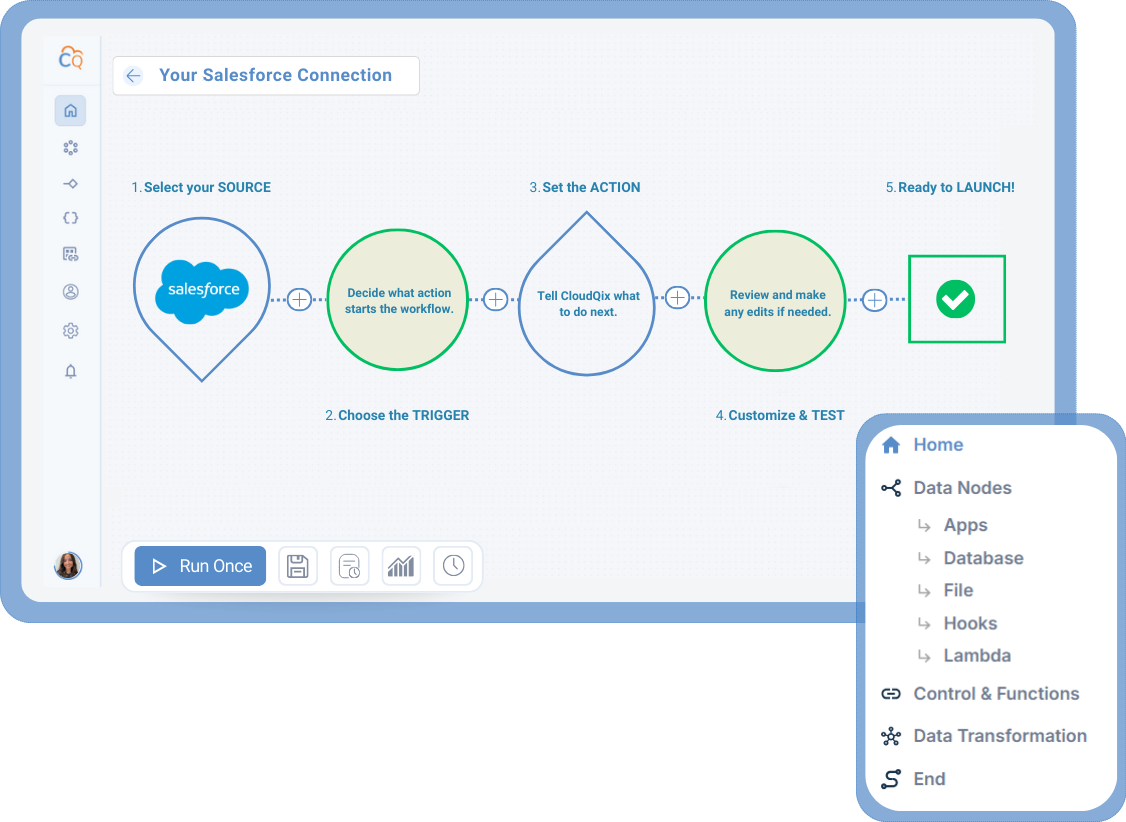
1. Connect Salesforce
Securely link your Salesforce
account to the CloudQix
platform.
2. Select a Trigger
Choose the event in
Salesforce that will
start your workflow.
3. Choose an Action
Decide what should happen
in another app when the
trigger occurs.
4. Customize & Test
Adjust any settings, test the
workflow, and make sure that
data flows correctly.
5. Automate Workflows
Run your workflow automatically,
track performance, and update
anytime — no coding needed.
Supported Salesforce Actions & Triggers
- Create, get, search, update, and delete contacts
- Create, get, and search accounts
- Create, get, search, update, and delete leads
- Test describe
Connect Salesforce to Any of These Apps











More eCommerce Integrations
Here are other popular integrations used by teams working with Salesforce:
- Apollo
- Hubspot
- QuickBooks
- Box
Ready to Automate
Salesforce Workflows?
Start your free trial today or speak to a specialist to see how CloudQix streamlines Salesforce workflows.